Why You Should Cut Your Client a Little Slack

You never know what happened right before the meeting started. What seems like rudeness might have another explanation.
sales tip: you don't know what your client is going through
photo by BillionPhotos.com/dpc

A few weeks ago I was presenting to a law firm. Five people from the firm had been at the first meeting, and four were to be at the follow-up meeting. Three of them arrived on time, but we had to wait for the fourth – the managing partner of the firm.

He finally arrived 20 minutes late, with only the most perfunctory apology. He sat down and we got underway.

As I was going through my part of the presentation, the managing partner kept checking his smartphone, reading and sending texts. He wasn’t bothering to hide it, either. Midway through the meeting his phone rang. He answered it, and without even a glance at me he got up and left the room. His assistant signaled me to keep going, so I continued.

A few minutes later the managing partner came back in, sat down, and resumed paying attention to me and his phone simultaneously. I did my best to conceal my growing irritation at the guy’s clear lack of respect.

Eventually we got to the end of the presentation, and asked for a commitment. The managing partner said he needed to go through the financials with his accountant before he could make a decision.

I asked if he could give us an answer later in the week, and that’s when he dropped the bomb:

“I’m not sure,” he said. “My wife is out of town, and she was in a car wreck this morning. She’s in the hospital; we’re hoping she’ll be released tomorrow. As soon as this meeting’s over, I’ve got a six-hour drive to go see her.” He showed us some pictures of his wife’s car she had emailed to him – the entire front end smashed in, and the air bags deployed.

At that moment, all my irritation went away,  replaced by a strong sense of guilt. He hadn’t been disrespecting us – the fact that he showed up for the meeting at all was a powerful sign of how strongly he believed in keeping his commitment to me and the station. Under the circumstances, his lateness and divided attention were more than understandable.

A few weeks later, his wife is home and expected to make a full recovery. And I’ve re-learned a sales lesson.

The Sales Lesson Is…

When we sit down with a client, we often don’t know what else is going on in their world. They may have just been chewed out by their boss; a family member may be ill or injured. The solution we’re offering may be the most important thing on our mind… but there might be a much bigger problem on their mind.

Until you know the full story, give them the benefit of the doubt.

[reminder]
 

The Value of Presenting On Your Turf: How to Use The Power of “No”

A sales presentation is like a circus. You need to control the show.

Sales tip: be the lion tamer
Photo by patrimonio designs/dpc

We were doing a needs analysis at an auto dealership in the southeast. The meeting was at the store, in the dealership General Manager’s office; the General Manager wanted us to know that he was in charge.

As the station AE, sales manager, and I tried to ask our questions, the client checked his email. His desk phone rang, and he answered it. His cell phone rang, and he answered it. Salespeople walked in and out of the office with papers to sign.

It was a circus… his circus… and he was the ringmaster.

Somehow we managed to gather enough information to take the next step, and we invited him to the station for a presentation in a couple of weeks. He accepted the invitation, we put it on the calendar, and left.

During the meeting, the client had told us that he really wanted a jingle for his store. We put a creative strategy together, found a good jingle company, and had a spec produced using the strategy we had devised. We built the proposal and rehearsed it. On Presentation Day, we were ready.

About 40 minutes before the meeting was scheduled to begin, the dealer’s assistant called. “Bob doesn’t have time to come to the station today. He wants to know if you can do the presentation in his office.”

The account executive, sales manager, and I looked at each other, and agreed on the answer.

“No.”

We knew that if we went to his office, it would be chaos once again. Ringing phones, paperwork, and constant interruptions. There was no way to do a cohesive presentation on his turf. The AE called the store back, and politely told the assistant that the only way we could do the presentation was if Bob came to the station. “And by the way,” she told the assistant, “we think Bob is really going to like the jingle.”

For the rest of the week, we were at a stalemate. Bob wouldn’t come to us, and we wouldn’t go to him. When I left town at the end of the week, we agreed that I would do the presentation as a webinar — but only if Bob came to the station.

Two weeks went by. Every few days, the account executive called the dealership and politely reminded the assistant that she would love to play the new jingle for Bob. One day I got an email from the AE: “Bob has agreed to come to us! Can you do a webinar next Monday?”

The short version of what happened next: Bob came to the station for the webinar on Monday, liked our creative strategy, and loved the jingle. A few days later, he agreed to a $60,000 annual commitment.

The Sales Lessons of This Story

[bctt tweet=”A sales presentation is like a circus. You need to control the show.”]

1. Your best chance at a successful presentation comes when you control the environment. Author and marketing consultant Perry Marshall compares a presenter to a lion tamer:

The circus animals will test you to see if you’re jumpy. They’ll throw you curve balls. In some situations they might even cast insults or lie to you, observing how you’ll react. If they detect a chink in your armor, they’ll pounce on you like a pack of hungry jackals. Circus Brimstone. But nothing unnerves them like a stoic, unflappable opponent who knows his position inside and out.

A circus trainer must always enter the ring first, and in full sight of the lions. In doing so, he establishes that the ring is his territory, not theirs, a notion that he reinforces by shouting, by stomping about, by snapping his whip.

The lions are impressed. Mighty predators though they are, they crawl in with their tails low…

It’s always better to do the sales presentation on your territory, not theirs. Wherever possible, make them come to your office.

2. Sometimes the most effective answer you can give a client is a firm “No.”

“No” won’t work if the client views your offering as a commodity. It will work if you have something that the client values, and can’t get anywhere else. If you have what the client wants, “No” changes the terms of the interaction, and puts you in charge.

[reminder]How have you regained control of a sales interaction?[/reminder]

A Couple of Good Contact-Grabbing Apps: Tech Tool Tuesday for Salespeople

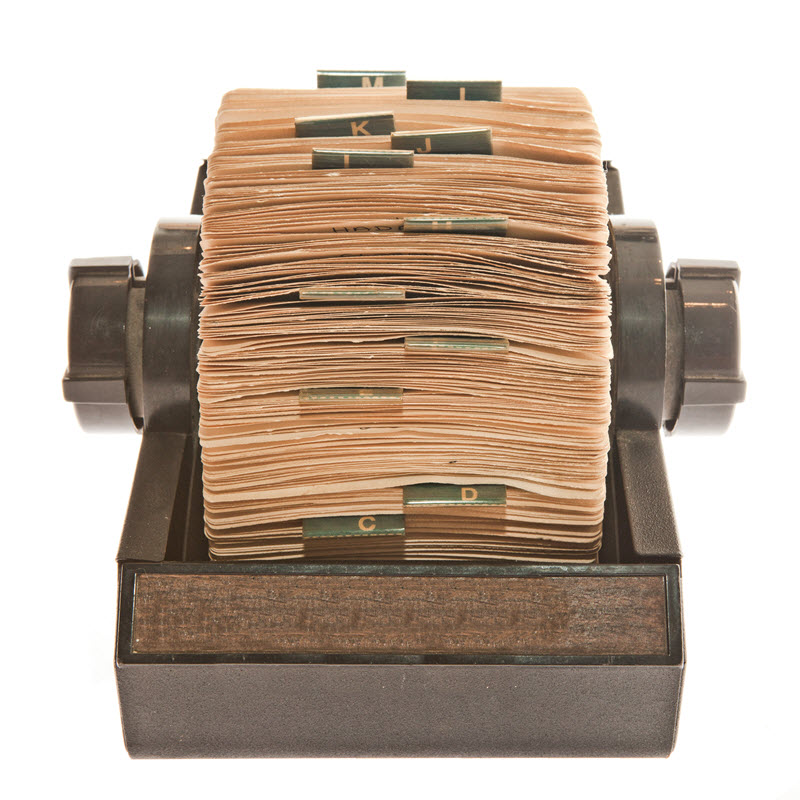
In the dark ages, we had a Rolodex. It was stuffed with business cards, which we collected everywhere we could.

When we had time, we entered the contact information manually into our computers.

Rolodex -- an obsolete sales tool
Photo by Stockninja/dpc


Automation has come to this process, and smart salespeople use it. For several years, I had two tools the got the job done:

  • CardMunch, a LinkedIn product that was, in its prime, an excellent business card scanner for the iPhone.
  • I used Gwabbit to pull contact information from emails.

Unfortunately, LinkedIn stopped supporting CardMunch, and it was eventually shut down. Meanwhile, Gwabbit never got around to supporting Outlook 2013, which ultimately made it useless. I have been looking for alternatives ever since, and have found a couple that get the job done.

A Very Good, But Spendy, PC Tool for Salespeople

I’ve been using AddressGrabber Standard for a couple of weeks on my laptop, and like a great deal. It is very simple to use – when you receive an email from a new contact, you highlight the information that needs to go into your contact manager (for me, Outlook 2013), click an icon to transfer the information, proof it, and save. It’s quick, simple to use, and pretty darn accurate. Occasionally information will go into the wrong fields, but the corrections are easy to make.

This is a huge timesaver when you start working with multiple contacts in a new company. When I start a revenue initiative with a new TV station, I ask all of the account executives and sales managers to send me an email. Then I go through the emails and drop the contact information in Outlook. The whole process for a 10-person sales staff might take me three or four minutes.

Two minor drawbacks: it will not recognize contact information from images, and if your contact doesn’t include their email address in their signature line, you have to enter it by hand. One major drawback: at $69.95 for a single machine license, AddressGrabber is expensive. But it works.


A Pretty Good Free Smartphone Tool For Salespeople

Evernote has had business card scanning built into its smartphone app for quite some time. Earlier this year it released a separate app called Scannable, which has many uses. For me, the most common use has been business card scanning.

Scannable is very simple to use – put the card on a contrasting background, and it will automatically detect the card and snap a picture. If you are an Evernote user you can upload the card to Evernote, and if not you can email or message the information. If you authorize a connection to your LinkedIn account, you can even make a LinkedIn connection right from the app.

Scannable’s major drawback is accuracy. Where CardMunch used actual human beings to double-check everything, Scannable is completely automated, and in day-to-day use I would rate it about 60% accurate. Once the information is entered, you need to proof it carefully, and it is not uncommon to need to clean up a few things. For a single card, entering by hand may be just as fast.

But if you have multiple cards to process it once, Scannable is a much faster option even when you take into account the necessary proofing. While there is significant room for improvement, Scannable is the best tool I have found since CardMunch went away.

One other note: as of this writing, Scannable is not available for Android. Evernote does have a business card scanner built into their main Android app, and there are certainly other options available.


In 2015, you shouldn’t have to enter contact information by hand. Automate the process, and use the time you save to sell.

[reminder]What are you using to capture contact info?[/reminder]


Survey Results – and How You Can Help a Rookie Out

The results of my 2015 Reader Survey point to an opportunity for the veterans among my readership to help the young ones.

Sales Tip: veterans can teach the rookies
Photo by djoronimo/dpc

First, a few numbers:

  • Not surprisingly, most of my readers work in media. The biggest pieces: 40.7% in TV, 29.6% in radio.
  • About half – 48.1% – are salespeople/account executives. Another 25.9% are Sales Managers or Directors of Sales.
  • Three out of every four of my readers – 74. 1% — are over 45. Almost none of you – 3.7% – are under 35.
  • It’s an experienced group. The vast majority – more than 70% – have been doing this for more than 10 years.
  • 18.5% have less than five years’ experience. 11% have been doing this for less than three years. 7.4% are in their first year.

An Opportunity for Sales Veterans to Help The Next Generation


Sales is a tough business, with a tremendous amount of turnover. Most of the big media companies provide some training, and most managers do their best to provide guidance. But there is often not enough company provided training, and not enough hours in the day for a busy manager to provide enough guidance.

The Account Executives who make it are the ones who take the opportunity to learn on their own. They just need to know where to look.

That’s where you – the 70% of my readers who have been at this for 10 years or more – can help the young ones. Even if you don’t have the time to spend one-on-one, you can certainly point them toward some resources that can help:

Resources You Can Pass Along


1. Here is a list of five essential books that every media salesperson should read. They are affordable even on a tight budget – a rookie can buy the entire set for around $100, and probably find some of them in the local public library.

2. Here is a list of five essential blogs. They are free.

3. I offer an e-book on pre-call preparation. It is also free, to anyone who subscribes to my blog. Download it here.

Take a moment to send one (or all) of the links above to an inexperienced AE who would appreciate the help.

If you already get this by email, I will make it easy for you. Just hit “Forward” and send this email to a rookie. Tell them to click on links toward the bottom.

sad salesperson
Photo by Maxim Malevich /dpc

You can help a struggling salesperson out. Or you can turn the page. Won’t you help a rookie out today?

A Crucial Double-Check to Prevent Presentation Heartache

Have you ever been blindsided during a presentation? Every now and then you can lose a sure-thing sale because of something that – it seems in hindsight – you really, really should have known about.

sales call gone bad -- man in shock
photo by icsnaps/dpc

About six years ago I presented an advertising plan to a dentist in Montana. I had met with him a couple of weeks before, and he had been open, enthusiastic, and eager to hear my ideas. Out of 27 presentations I was scheduled to do that week, this one seemed to be a slam dunk — he was primed to do something, and I had the perfect plan for him.

The meeting didn’t go the way I’d planned. Not even close.

[bctt tweet=”Sales Tip: A lot can change for the client in a couple of weeks. It pays to ask.”]

He argued with me about my overall marketing philosophy, didn’t like the strategy I proposed, and called my script “simple-minded”. His demeanor was dismissive, on the edge of downright rude. At the end of the meeting, he told us he’d “think about it”, and walked out before we could ask him anything more.

I was stunned. Usually when a meeting goes bad I know what went wrong. This time a big opportunity had blown up, and I had no idea why.

The next day the dentist’s wife, who’d been at both meetings, called the station Account Executive to apologize. A few hours before our presentation, they had met with their accountant and learned that there was more than $100,000 missing from the practice’s bank account. Embezzlement was suspected. He wasn’t going to buy anything from anyone for a while.

Today’s Sales Lesson: The World Can Change In a Couple of Weeks


Ever since that day, I start every presentation this way:

“Before we begin, I need to ask a quick question. Has anything changed since our last meeting?”

 Most of the time, nothing has, and I can launch things without a problem. But over the past five years, by asking that question I’ve learned that between the last meeting and this one:

·       The owner has just decided to sell the business.

·       The company has agreed to merge with a competitor, all decisions are on hold for the next six months, and the guy we’re meeting with will be leaving the company.

·       The store has picked up a new product line, and will be retooling its marketing substantially.

·       The medical practice has just hired an advertising agency.

Learning this information before diving in has allowed me to make adjustments on the fly. Sometimes it’s caused me to make major changes to the strategy I recommended. On two occasions, we even agreed to cancel the presentation — it was going to be a waste everyone’s time.

Things happen quickly in business, and the questions you asked on Tuesday could have completely different answers the following Monday. Asking if anything’s changed before you dive in can save you enormous heartache.

[reminder]What’s the biggest surprise you’ve gotten at a sales meeting?[/reminder]